SQL Server
SQL Server is Microsoft's relational database engine. In Gredit, this integration allows connecting to a SQL Server instance to execute SQL queries from scripts via ODBC using the FreeTDS driver.
What it is used for
Configure a SQL Server connection so that scripts can execute SQL queries and read or write data in a Microsoft relational database.
Configuration
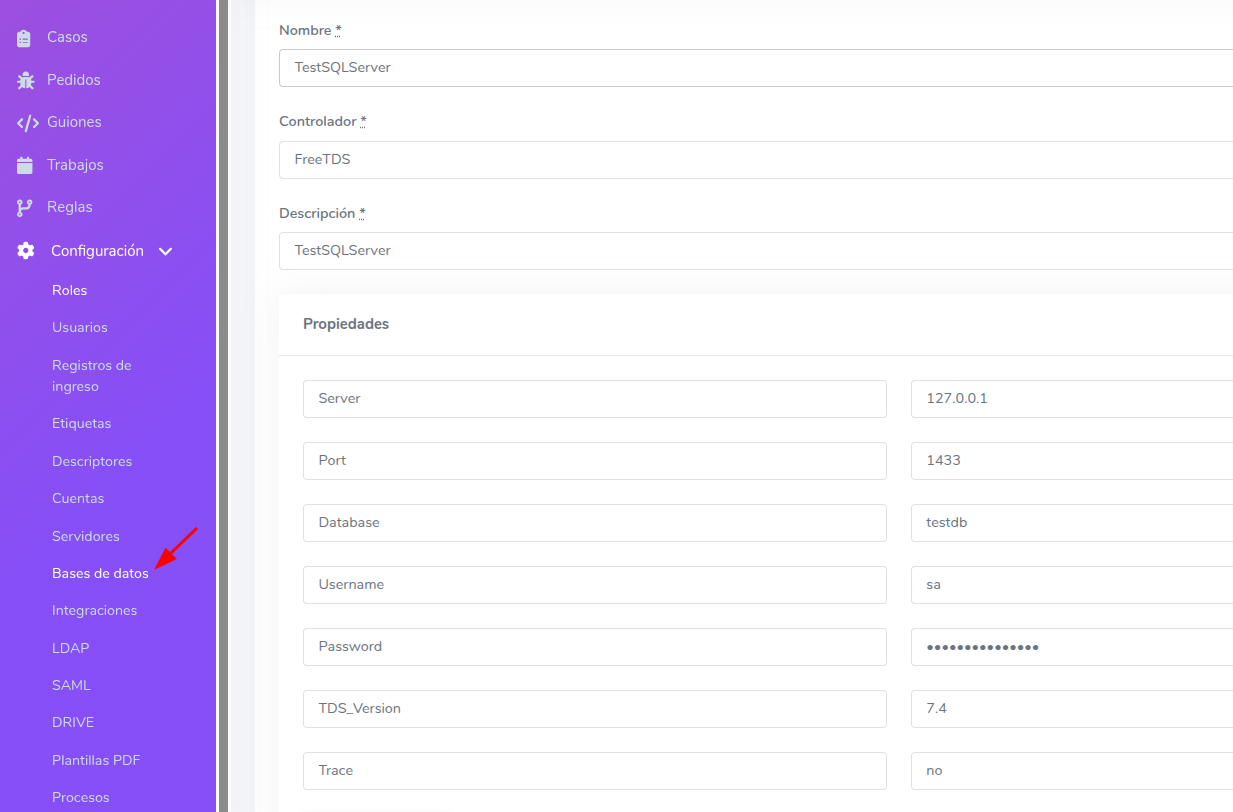
Required data
| Field | Description |
|---|---|
Host | SQL Server address (IP or hostname) |
Database | Database name |
Port | Connection port (default: 1433) |
Username | Connection user |
Password | User password |
TDS_Version | TDS protocol version (must be 7.4) |
Trace | Trace enablement (must be no) |
Adding the database in Gredit
- Go to the Databases section and create a new configuration.
- Fill in the host, database, port, username, and password.
- In Driver, use
FreeTDS. - In Properties, add the attribute
TDS_Versionwith the value7.4. - In Properties, add the attribute
Tracewith the valueno. - The Name value will be the identifier used to inject the connection into scripts.
Usage in scripts
Ruby
require 'odbc_utf8'

con = ODBC.connect('TestSQLServer')
stmt = con.run('SELECT id, nombre FROM usuarios')

columns = stmt.columns.keys.map(&:to_s)

stmt.each do |row|
  h = columns.zip(row).to_h
  puts h['nombre'] || h['NOMBRE'] || h['Nombre']
end

stmt.drop
con.disconnect
Python
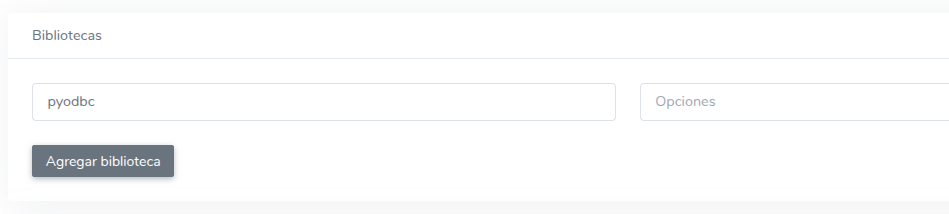
Add the
pyodbclibrary under Libraries in the script settings.
import pyodbc

cnxn = gredit.connect('TestSQLServer')
cursor = cnxn.cursor()
cursor.execute("SELECT id, nombre FROM usuarios")

columns = [col[0].strip() for col in cursor.description]
rows = cursor.fetchall()

for r in rows:
    h = dict(zip(columns, r))
    print(h["nombre"])

cursor.close()
cnxn.close()
Relationship with other modules
- Accounts: The SQL Server connection belongs to an account.
- Scripts: Can be associated with one or more scripts optionally.
- Permissions: Controlled by assigned roles and permissions.